Crawling your site
How to run a crawl, what Meelu reads, how to follow the progress and how the site stays up to date.
A crawl is when Meelu visits your website and reads its pages, one by one, like a search engine does. Every screen on the Site desk is built from what the crawl read. If the crawl is old, the screens are old too.
Crawling is free
A crawl uses no credits.
Run your first crawl
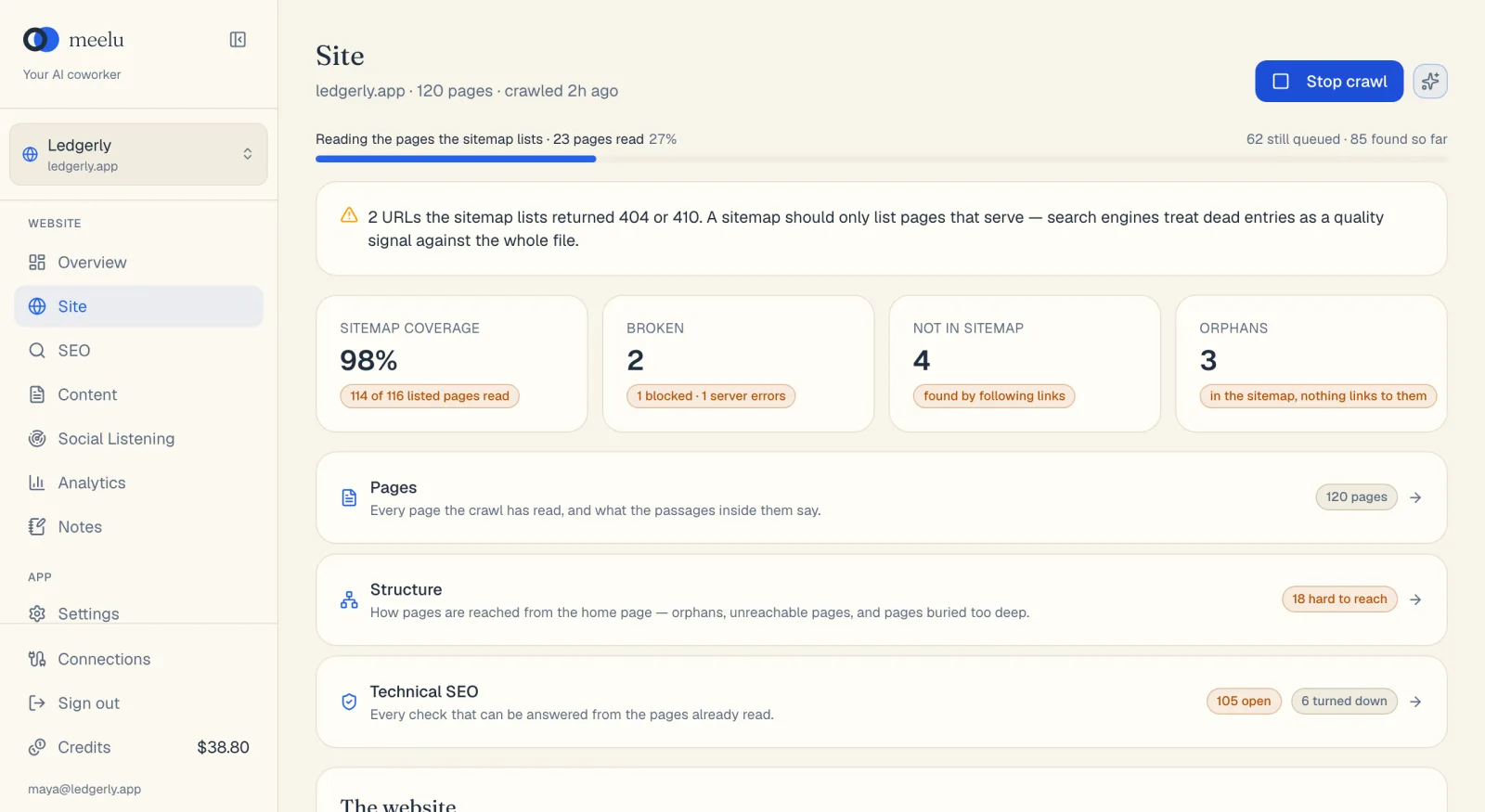
Open the Health view
Open Meelu and click Technical SEO in the sidebar. It opens on the Health view.
Click Crawl website
Click Crawl website at the top right of the Health view. If the site has been crawled before, the button says Crawl again.
Watch the progress bar
A progress bar shows which step the crawl is on and how many pages it has read. You can keep working in other desks while it runs.
Read the result
When the crawl ends, a short note says how many pages were read. The numbers on the Health view and the Pages, Internal links and Technical SEO screens update.
Meelu crawls every day
You do not have to start crawls yourself. Meelu reads every website once a day on its own, so the screens stay current.
- Pages read in the last 12 hours are skipped. This is true for the daily crawl and for a crawl you start. A crawl right after another one only reads pages that are new or due.
- Pages that need JavaScript are rendered. If a page shows its text only after JavaScript runs, Meelu opens it in a browser and reads what a visitor sees.
- Every change is kept. When a page's title, description, headings, text, status, canonical or schema changes, Meelu keeps the earlier version too. You can see how a page changed over time, not only how it looks today.
What the crawl reads
The crawl starts from your sitemap. A sitemap is a file on your site, often at /sitemap.xml, that lists the pages you want search engines to find. If you have not given Meelu a sitemap, it looks in the usual places for one.
The crawl works in three steps. The progress bar names the step it is on:
| Step shown | What is happening |
|---|---|
| Reading the sitemap and robots.txt | Meelu reads your sitemap and your robots.txt. robots.txt is a file that tells crawlers which pages they may read. |
| Reading the pages the sitemap lists | Meelu reads every page in your sitemap. |
| Following links the sitemap did not list | Meelu follows links on your pages to find pages your sitemap left out. |
Some limits to know:
- Up to 10,000 pages per crawl. If your sitemap lists more, the crawl stops there and does not follow links. A note tells you so.
- Link-following is capped. The crawl reads at most twice as many extra pages as your sitemap lists, so extra pages never crowd out the ones you listed.
- Only your own site. Links to other websites are recorded but not read.
- Pages robots.txt blocks for Google are not read. Meelu records them, because Google will not read them either.
Pages Meelu skips
Some pages are read but marked as not worth studying. They show a grey badge in the Pages table:
| Badge | Why |
|---|---|
| legal | Privacy, terms, cookie or refund pages. |
| pagination | Page 2, 3 and so on of a list. |
| thin | Fewer than 80 words of text. |
| redirect | The address sends the visitor to another page. |
If no sitemap is found
If Meelu cannot find a sitemap, a box appears under the crawl button. Paste your sitemap's full address, such as https://example.com/sitemap.xml, and click Use this sitemap. Meelu crawls with it and remembers it for later crawls. You can also add sitemaps in the website record.
If your firewall blocks the crawl
A firewall or bot protection may treat the crawl as a bot and block it. To let it through, use the Crawl access token in the website record. The crawl identifies itself as MeeluSEO/1.0 (+https://www.meelu.tech).
Stopping a crawl
Click Stop crawl while a crawl runs. The button shows Stopping… for a moment. Meelu keeps every page it has already read, so a stopped crawl is not wasted.
When to crawl by hand
Click Crawl again after you change your site and do not want to wait for the daily crawl, such as after you publish a new page, fix broken links or change your menu. Then the Internal links and Technical SEO screens show the new state, and suggestions you already acted on can be cleared.
What each button does
| Button | What it does |
|---|---|
| Crawl website / Crawl again | Starts a crawl of this site. |
| Stop crawl | Stops the running crawl and keeps what it read. |
| Use this sitemap | Crawls with the sitemap address you pasted and remembers it. |