Settings
The Settings screen, and where to find everything else that is not about one website.
Settings holds the things that are about you, not about one website. Open it from the sidebar, under App. It is also the only screen shown when you pick Global in the website switcher.
What is on the Settings screen
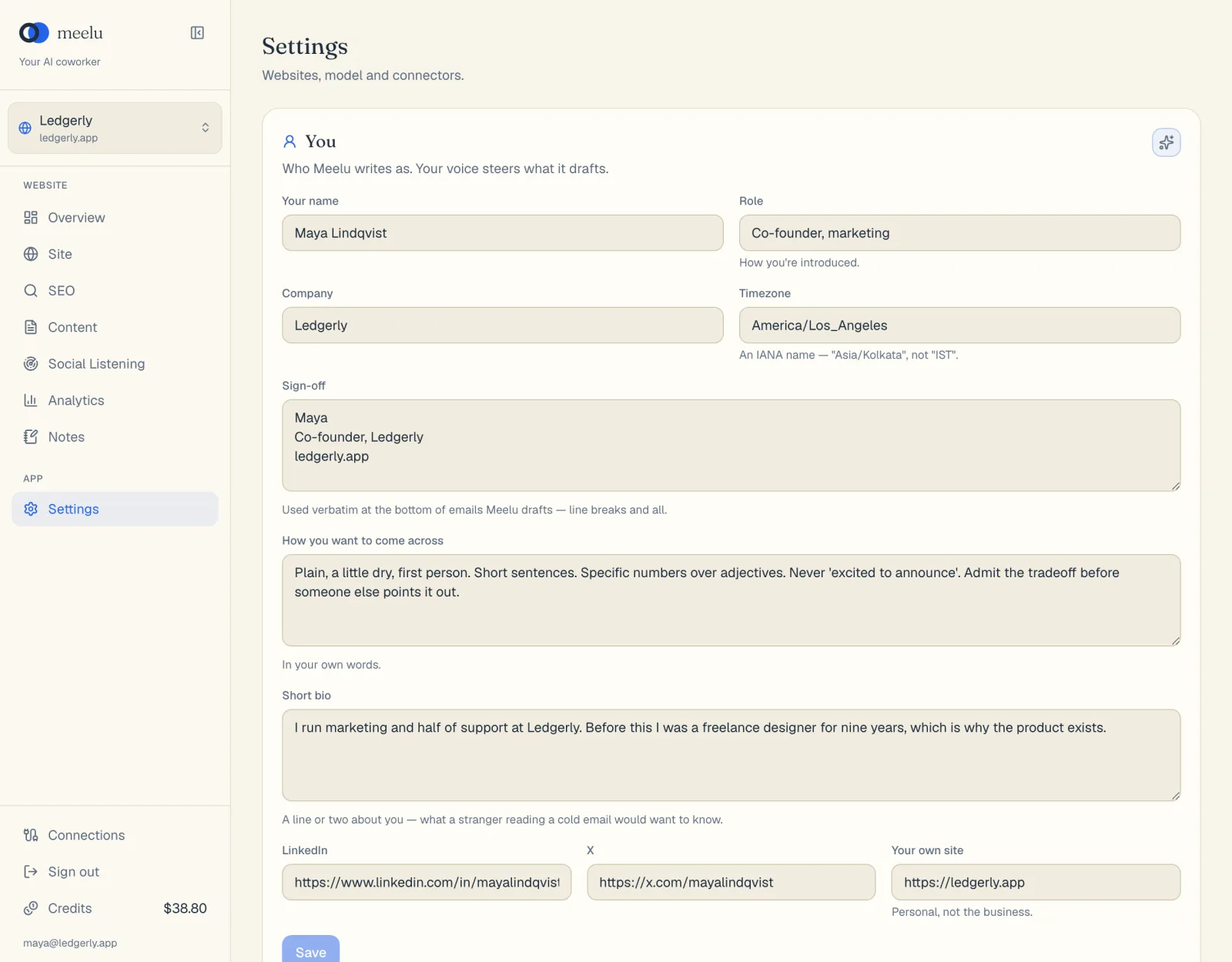
| Section | What it holds |
|---|---|
| You | Who Meelu writes as: your name, role, sign-off, voice and links. See Your profile. |
| Account | The name and email you are signed in with, and a Sign out button. |
Account
Shows the name and email of the account you are signed in with. Click Sign out to sign out of Meelu in this browser. You can also sign out from the bottom of the sidebar.
To change your email or delete your account, contact Meelu at the address in the Privacy Policy.
Settings that live elsewhere
Some settings are kept next to the thing they control:
| Setting | Where to find it |
|---|---|
| Add, switch or delete a website | The website switcher at the top of the sidebar. See Websites. |
| A website's sitemap, country and language | The The website card on the Site desk. See Website profile. |
| Google Search Console and Google Analytics | Connections, at the bottom of the sidebar. See Connections. |
| Your own Anthropic or OpenRouter key | Connections. Pick the AI model in the chat. See AI models. |
| Saved prompts | Your prompts, on the SEO desk and on Site, Internal links. See Your prompts. |
| Rules and corrections for Meelu | The Notes desk. See Notes. |
| Balance and top-ups | Credits, at the bottom of the sidebar. See Credits and billing. |
What each button does
| Button | Section | What it does |
|---|---|---|
| Set this up with Meelu (sparkle) | You | Starts a task where Meelu interviews you and fills in your profile. |
| Save | You | Saves changes to your profile. It is greyed out until you change something. |
| Sign out | Account | Signs you out of Meelu in this browser. |