Connections
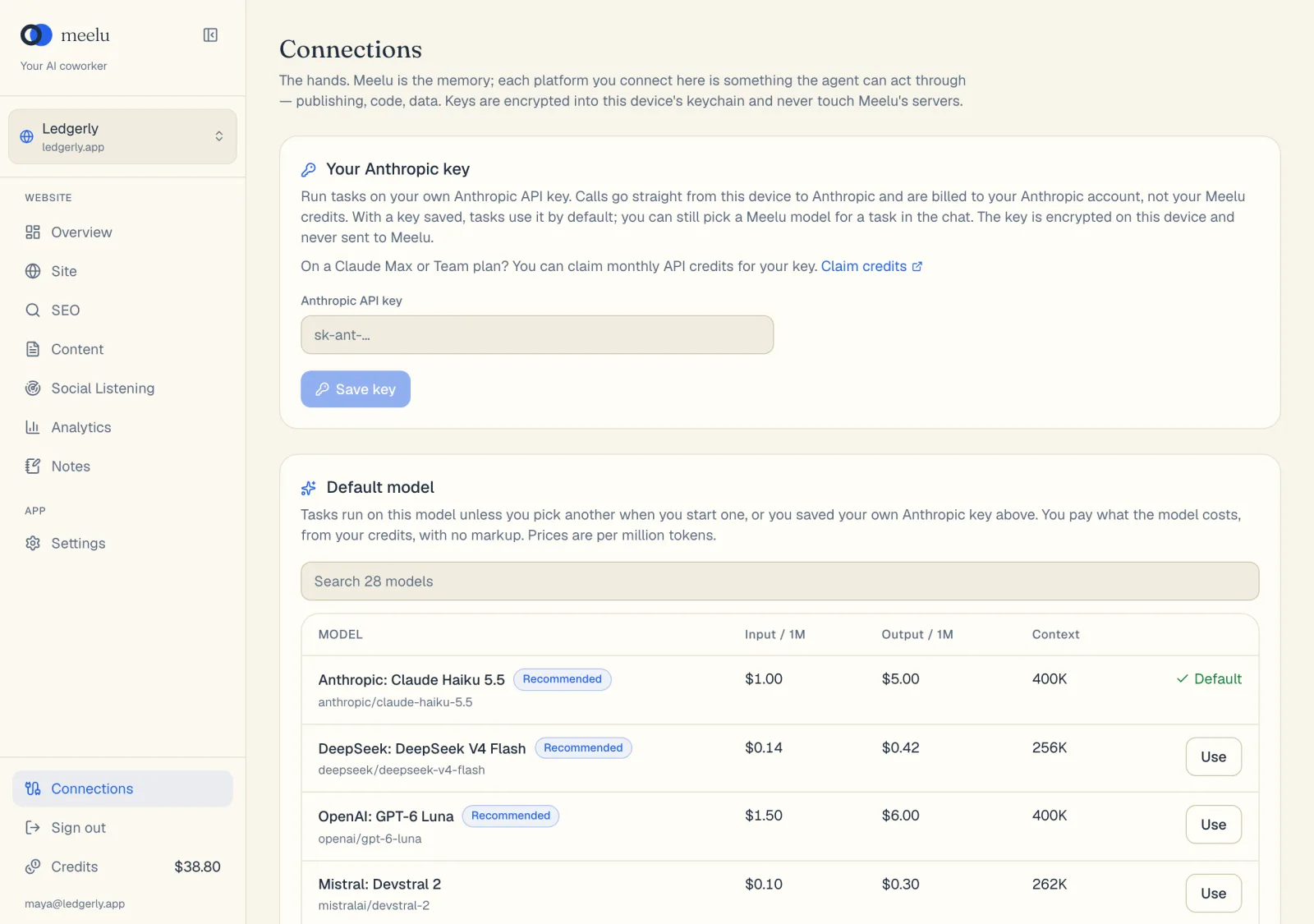
The Connections screen, where you connect Google, link your email, CMS, CRM, docs, community and issue tracker accounts, and add your own Anthropic or OpenRouter key.
Connections is at the bottom of the sidebar. It holds the services Meelu reaches on your behalf. Google Search Console and Google Analytics are connected per website under Google. Your other accounts are linked per website under Your accounts. Every sign-in runs through Composio, which keeps the account's login.
The screen has one card for your own model key, then Google with one card per Google service, then Your accounts:
| Card | What it is for |
|---|---|
| Your own model key | Run tasks on your own Anthropic or OpenRouter account instead of your Meelu credits. |
| Google Search Console | Your search numbers: impressions, clicks and positions for your own site. |
| Google Analytics 4 | Your traffic: sessions, sources and key events for your pages. |
Your own model key, and picking a model in the chat, are covered in AI models. This page covers the Google cards and your accounts.
Google Search Console
Search Console is the only measured search data Meelu has. It powers the SEO desk's Search performance screen and the index status of your pages.
Each Google card shows a status badge: Connected, Waiting for sign-in or Not connected. A connected card also shows the Google account and the property in use, once one is chosen.
Google Analytics 4
Analytics shows what actually arrived on your site: sessions, channels, landing pages and key events. It powers the SEO desk's Traffic screen.
Connect a Google service
Click Connect
Google's sign-in page opens in a new browser tab. In Meelu, the card says Waiting for sign-in until you finish, and updates on its own when you come back.
Sign in with the right account
Use the Google account that already has access to your site's property. Meelu asks for read-only access only.
Go to the SEO desk to import
Once the card says Connected, open the SEO desk to pick your property and import your data. After the first import, Meelu syncs every day on its own. See Connect Google Search Console and Analytics.
Empty property list?
If Meelu finds no properties after you connect, you signed in with a Google account that cannot see your site. Click Reconnect and pick another account. It does not mean your site has no data.
Disconnect
Click Disconnect on the card, then confirm. Meelu removes the Google connection for this website and stops syncing it. To remove Meelu's access on Google's side too, visit myaccount.google.com/permissions.
Data already imported stays with your website. Deleting the website removes it. See Websites.
Your accounts
Link the current website's own email, CMS, CRM, docs, community and issue tracker accounts. Each group becomes a desk the agent can load when a task needs it. Sign-in runs through Composio, which keeps the account's login. Meelu asks before every write.
| Group | Apps | What Meelu does there |
|---|---|---|
| Gmail, Outlook, Mailchimp, Kit, Resend | Searches your mail and saves draft emails and newsletters. Through Outlook and Resend, it sends only the email you approved. | |
| CMS | Webflow, Contentful, WordPress.com | Reads your collections, entries and posts and saves pages as drafts. In Webflow it can publish a page live when you ask. WordPress.com saves blog posts, and works for WordPress.com sites and self-hosted sites connected through Jetpack. |
| CRM | HubSpot, Attio, Pipedrive | Adds the contacts you approve. |
| Docs | Notion, Google Docs | Reads your pages and adds new pages, rows and comments. It never edits what you wrote. |
| Community | Reddit, LinkedIn | Publishes a post or reply you approved, from your own account. |
| Issue tracker | GitHub, Linear, Jira | Files the issues and comments you approve in the repository or project you picked. It never edits or closes an issue. |
Click Connect on an app and sign in in your browser. The card shows Waiting for sign-in until you finish, then Connected. Click Check again if it does not update. You can connect more than one account per app with Connect another, and remove one with Disconnect.
These accounts belong to the website, so they work wherever you sign in to Meelu.
What each button does
| Button | Card | What it does |
|---|---|---|
| Connect | Google cards | Opens Google's sign-in in a new tab to grant read-only access. |
| Open sign-in again | Google cards | Opens the sign-in again when it has not finished. |
| Reconnect | Google cards | Signs in again, for example with another Google account. |
| Disconnect / Cancel | Google cards | Removes the Google connection after you confirm, or stops a sign-in that has not finished. |
| Save key | Your own model key | Checks and saves the key for the provider you chose. |
| Remove | Your own model key | Deletes that saved key from Meelu. Keys are stored encrypted on the server. |
| Claim credits | Your own model key | Opens Anthropic's page about monthly API credits for Max and Team plans. |
| Connect / Connect another | Your accounts | Opens the app's sign-in in your browser. |
| Disconnect / Cancel | Your accounts | Removes that account, or stops a sign-in that has not finished. |
| Check again | Your accounts | Reloads the status of every account. |